StageSentinel³
Environment marker and indicator for Dynamics 365 Finance & Supply Chain — a Chrome extension that shows stage, tenant and context on every page, on any website.
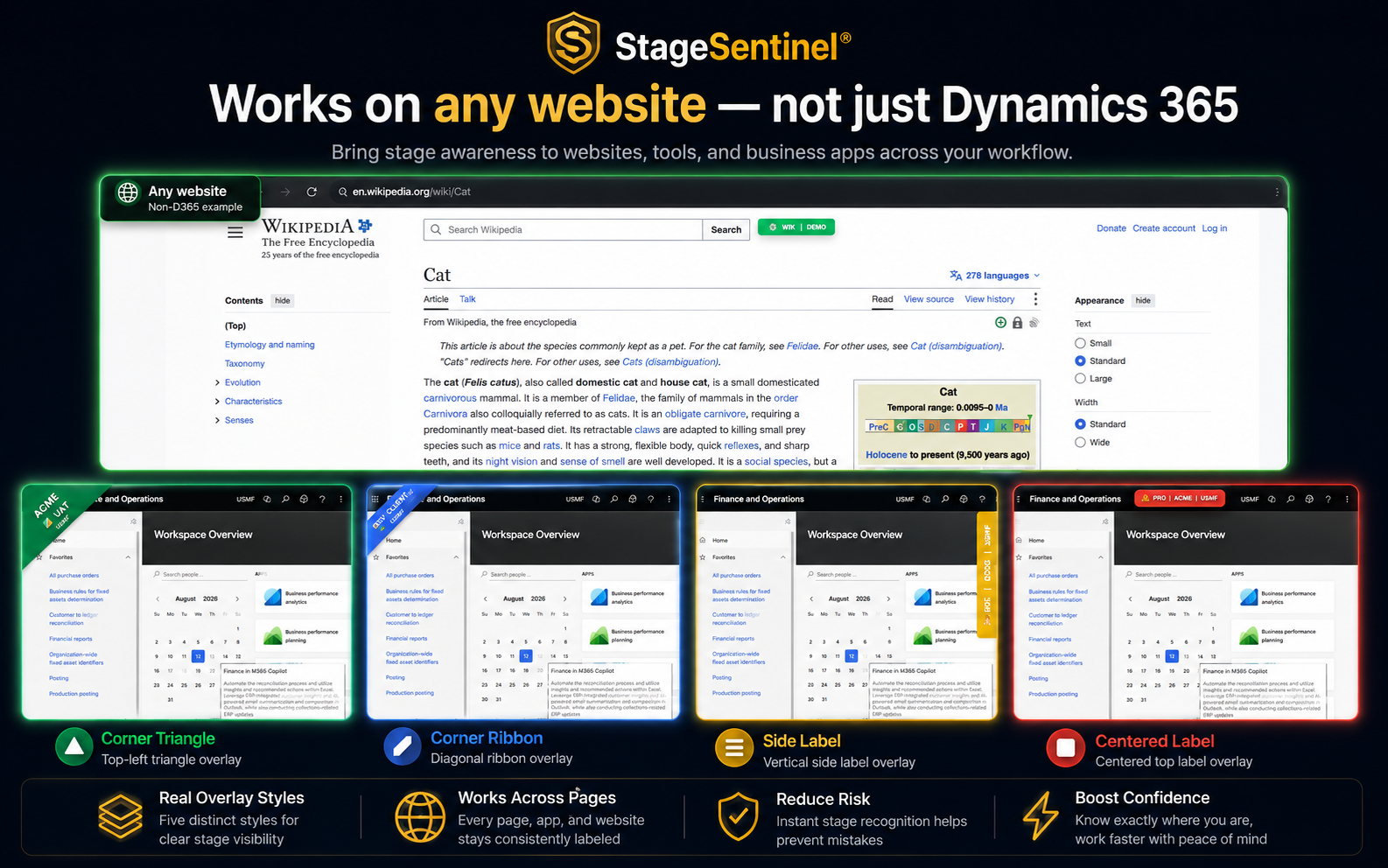
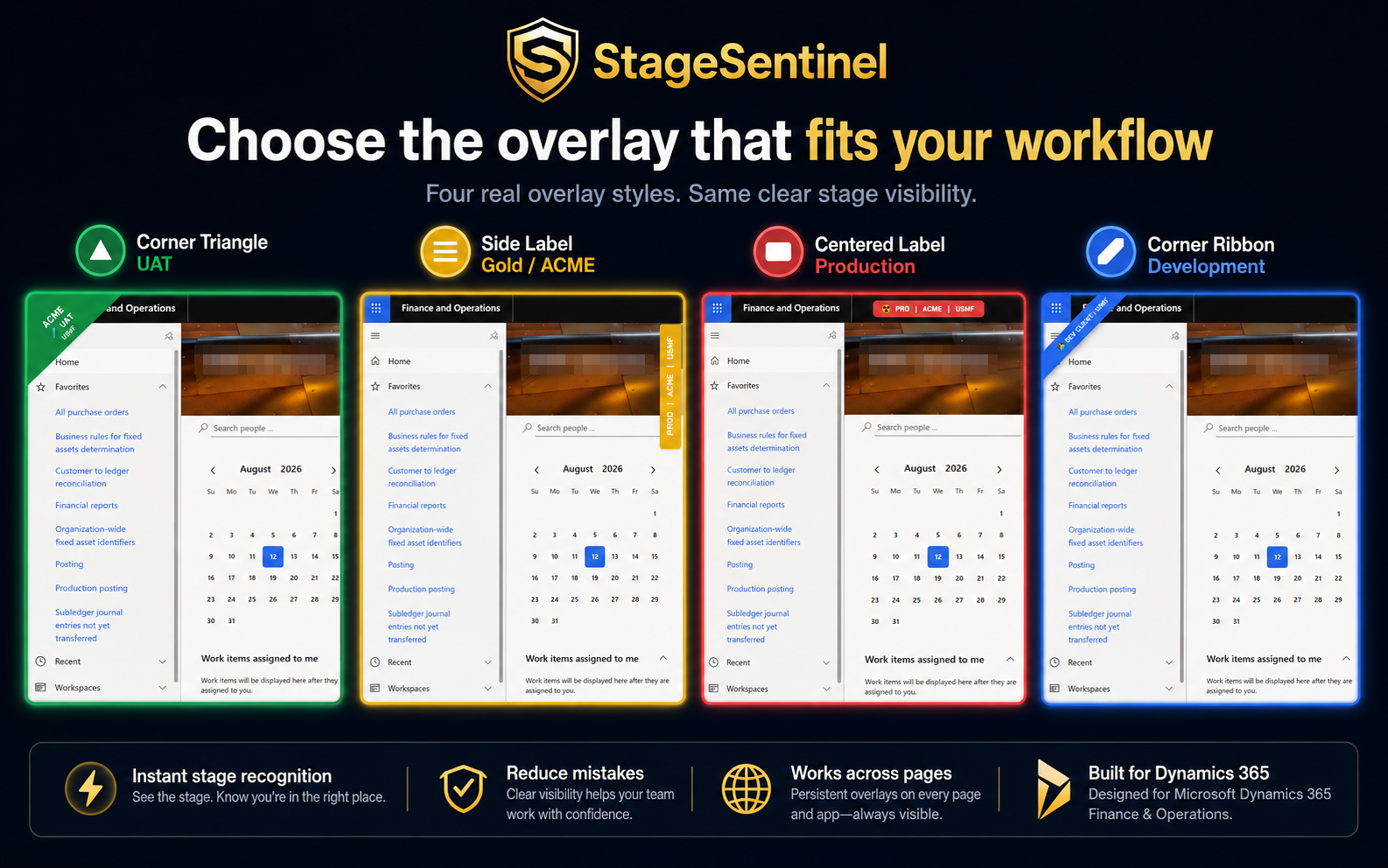
Get it on ChromeStageSentinel³ is a complete rebuild of the environment guardian. Every environment gets a bold, customisable label with stage (UAT, DEV, PROD) and tenant (USMF, DEMF, …), plus a colour-coded frame around the browser viewport. Four overlay styles let each user pick the warning that fits their workflow, detection reacts to environment and tenant switches without a page reload, and everything stays local in Chrome.
Features
Stage + tenant label
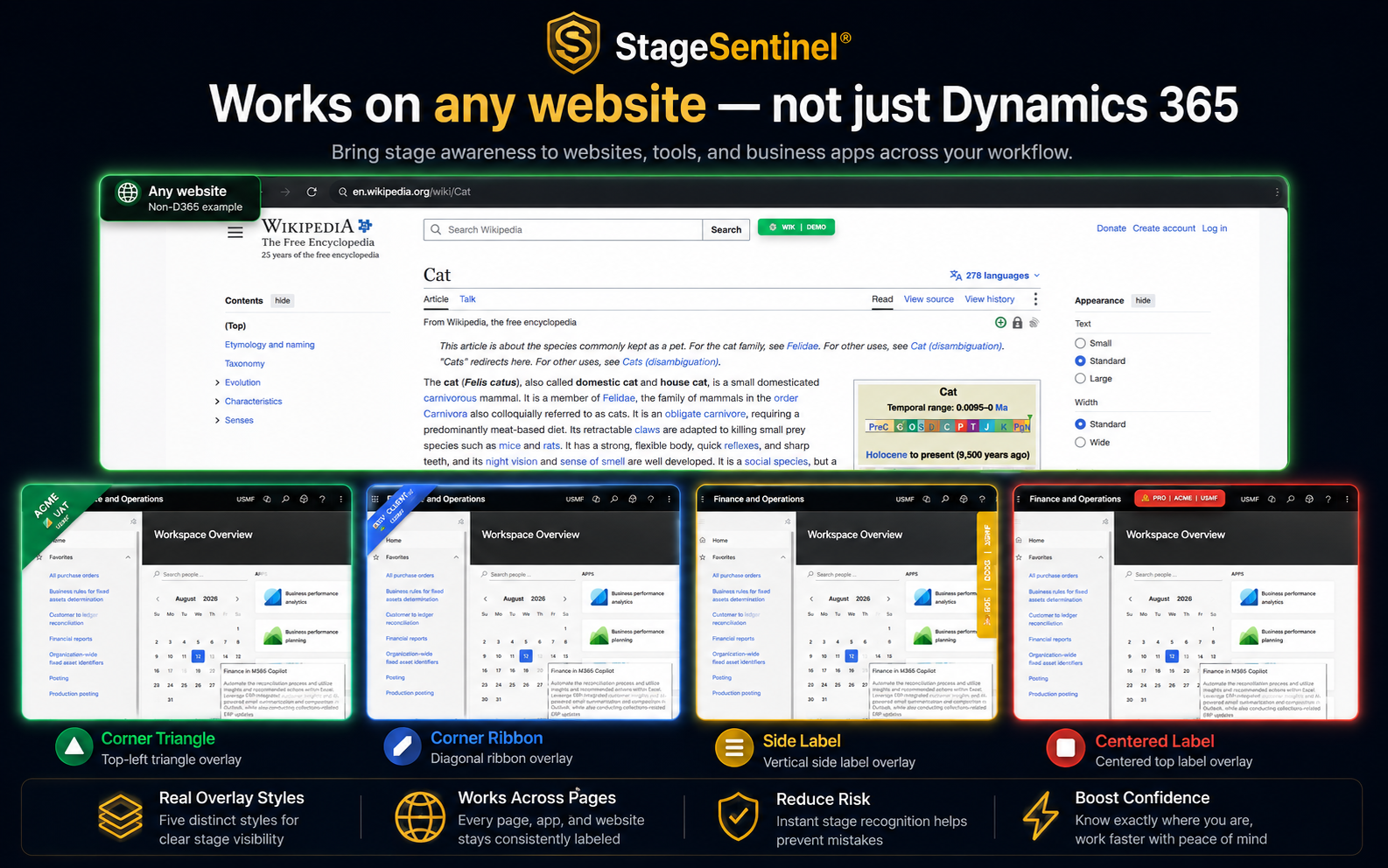
Each environment gets a bold, customisable label combining stage (UAT, DEV, PROD) and tenant (e.g. USMF, DEMF), plus a colour-coded frame around the viewport and an adjusted tab title.
Four overlay styles
Box label, corner ribbon, diagonal triangle and vertical side label. Switch styles instantly or set a default per project.
Your style, your colours, your emojis
Customise environments and tenants with colours and emojis — 🧪 for UAT, 🔧 for DEV. Use predefined stage types such as UAT1, PROD, DAILY, DEV, or create a custom stage with your own name and colour.
Smart and reactive detection
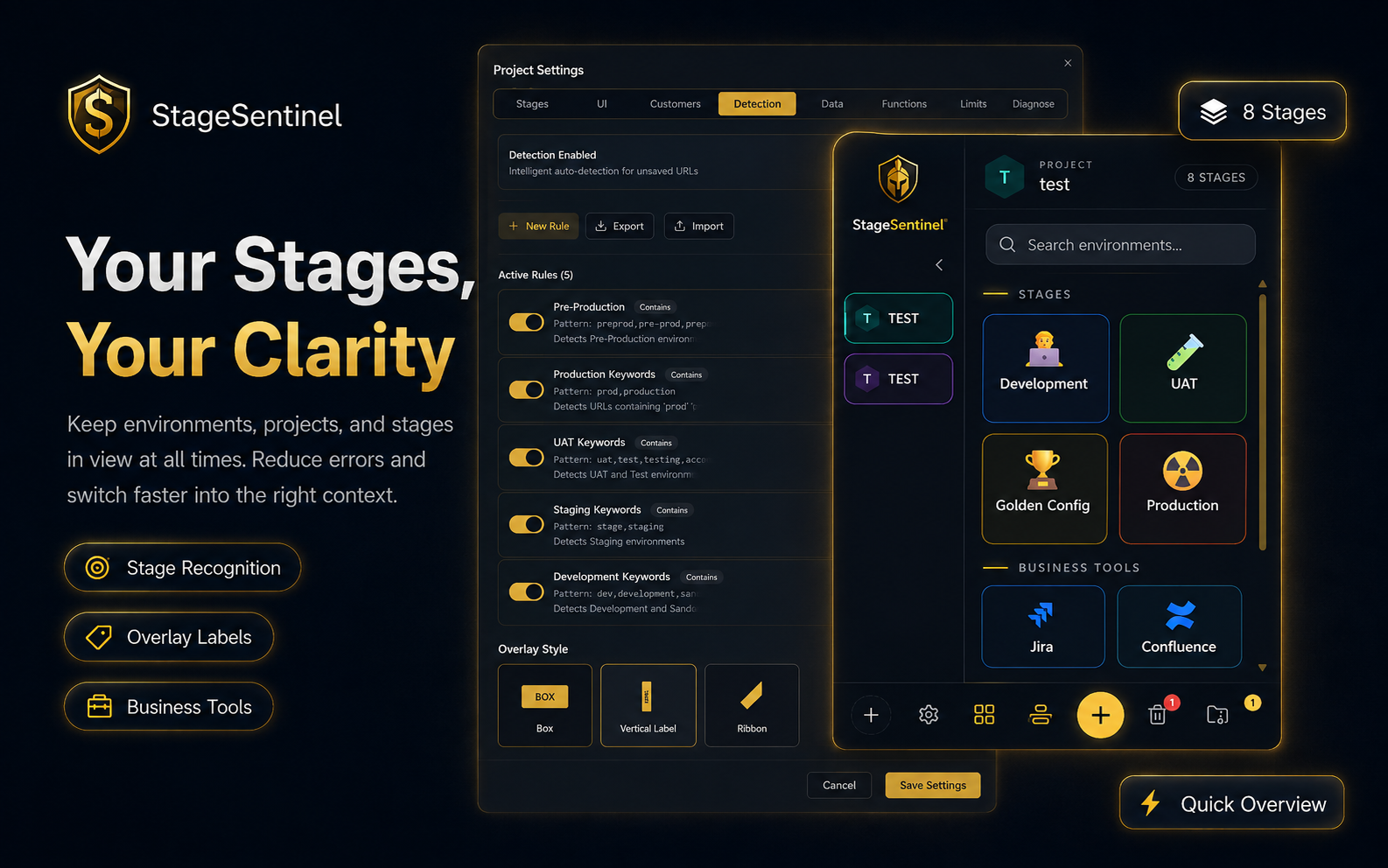
Auto-detection rules identify stage type, customer and legal entity from your configured setcards and react to switches without a page reload.
Drag & drop stage management
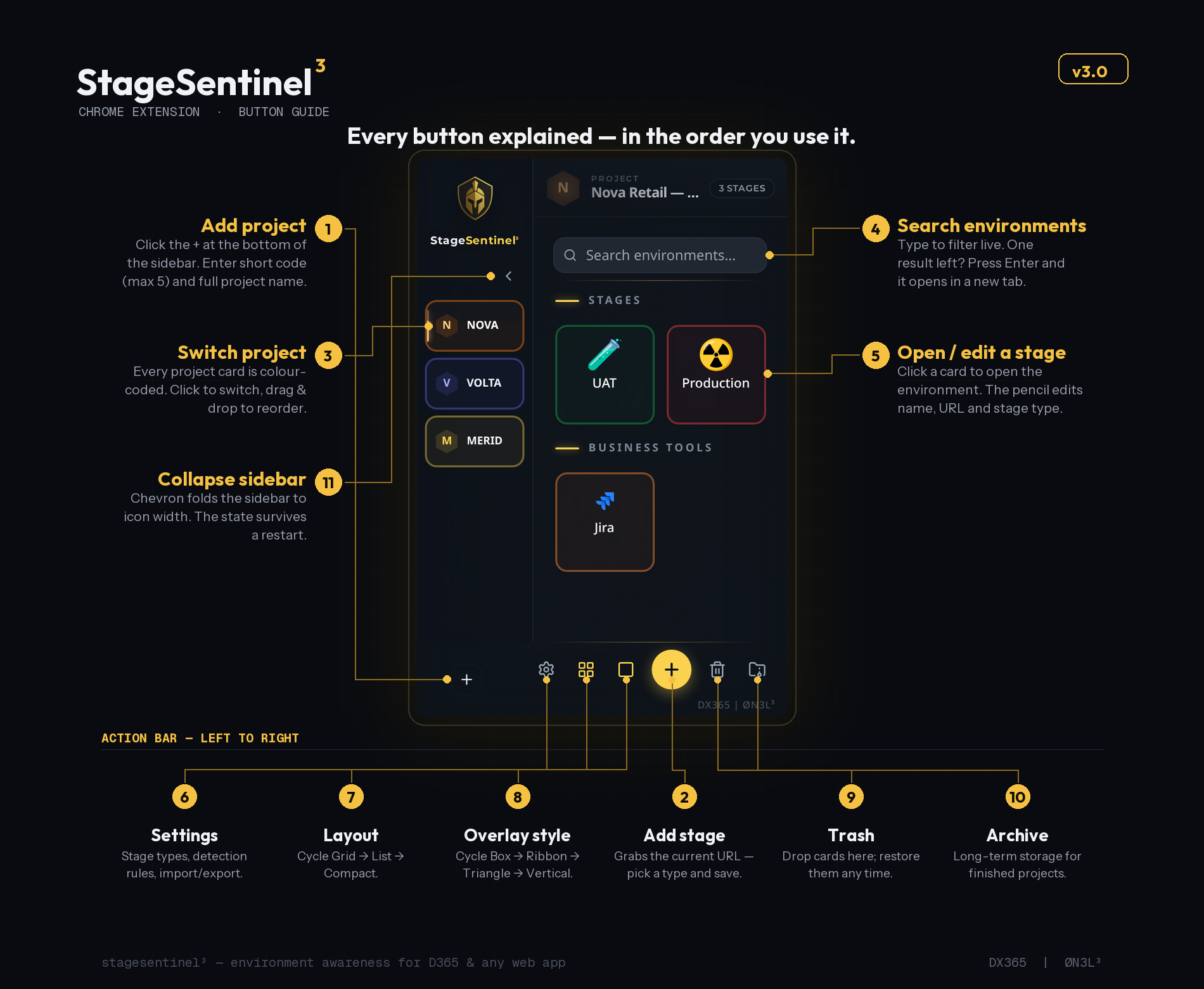
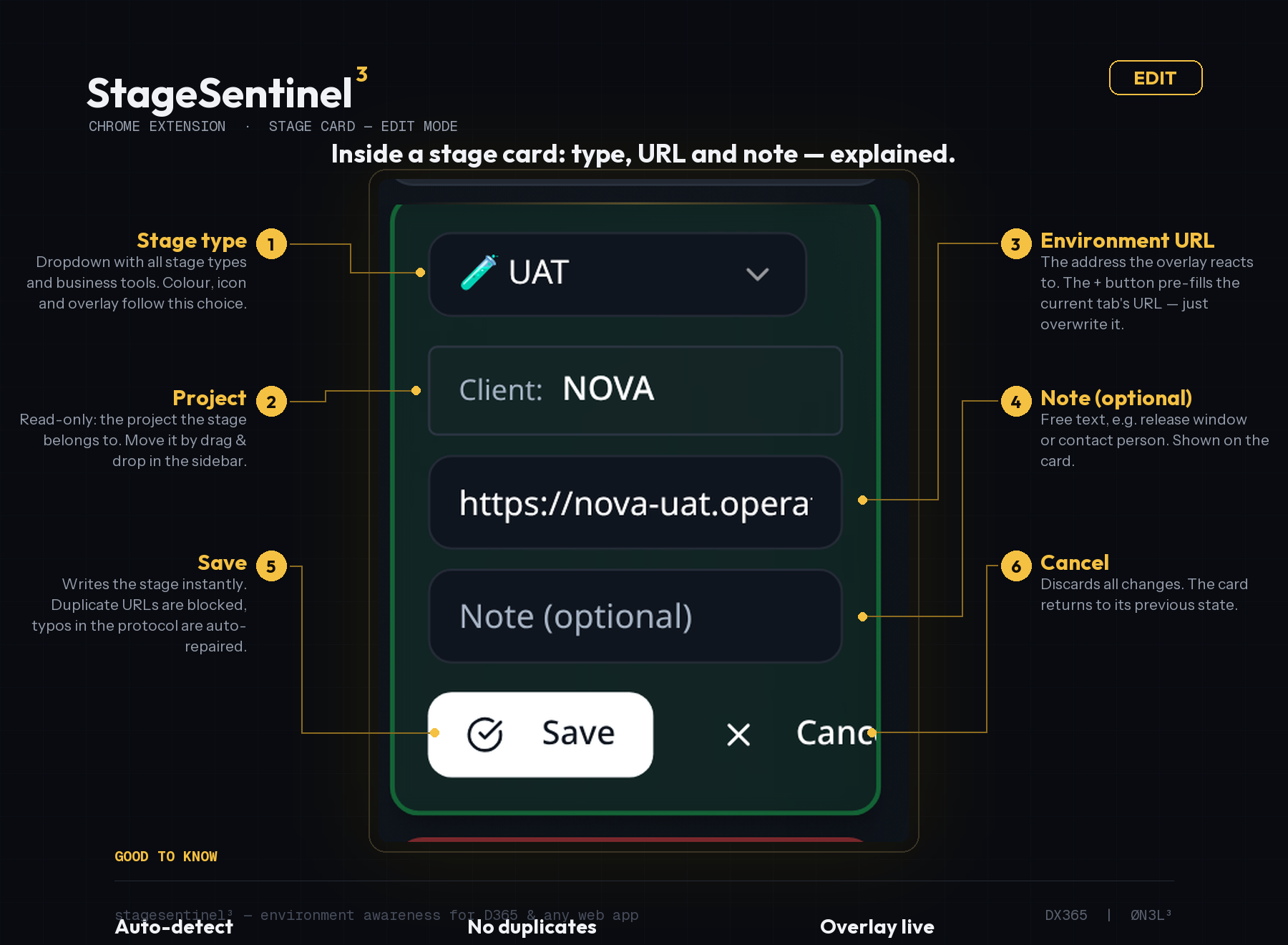
Create, label, reorder and annotate stages with full drag-and-drop support, including notes and an expiry date per stage.
Projects sidebar
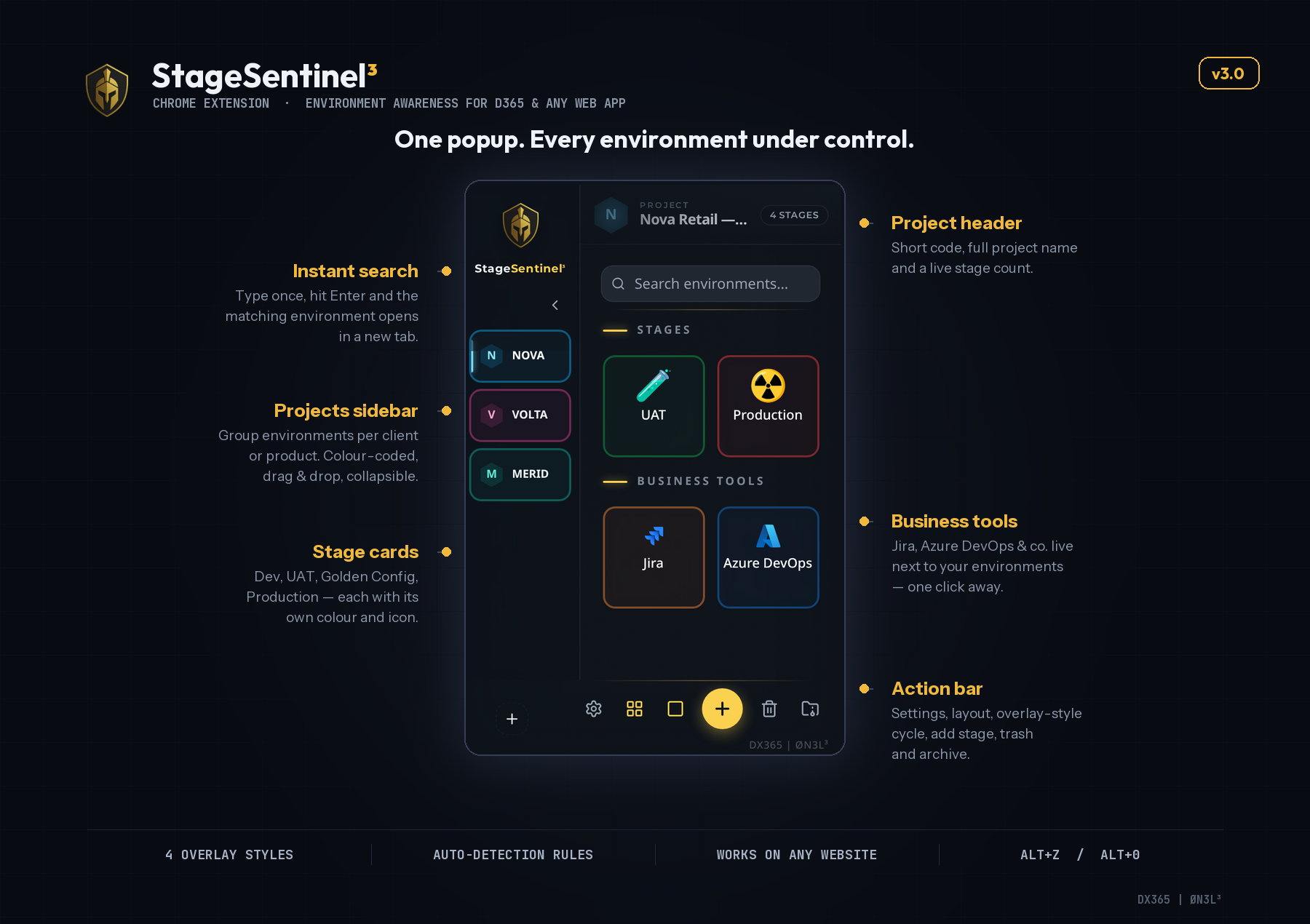
Group environments per client or product in a colour-coded, collapsible sidebar, with instant search that opens the matching environment in a new tab.
Business tools next door
Jira, Azure DevOps, Confluence & co. live next to your environments in the same popup — one click away.
Import / export config
Export the whole configuration for backup or team sharing and import it on another machine. Modern dark UI with a glassmorphism look.
Local by design
No cloud, no account, no tracking, no telemetry. Everything is stored securely in Chrome storage and never leaves the browser.
Screenshots
Settings — tab by tab
00Settings overview — everything you can configure
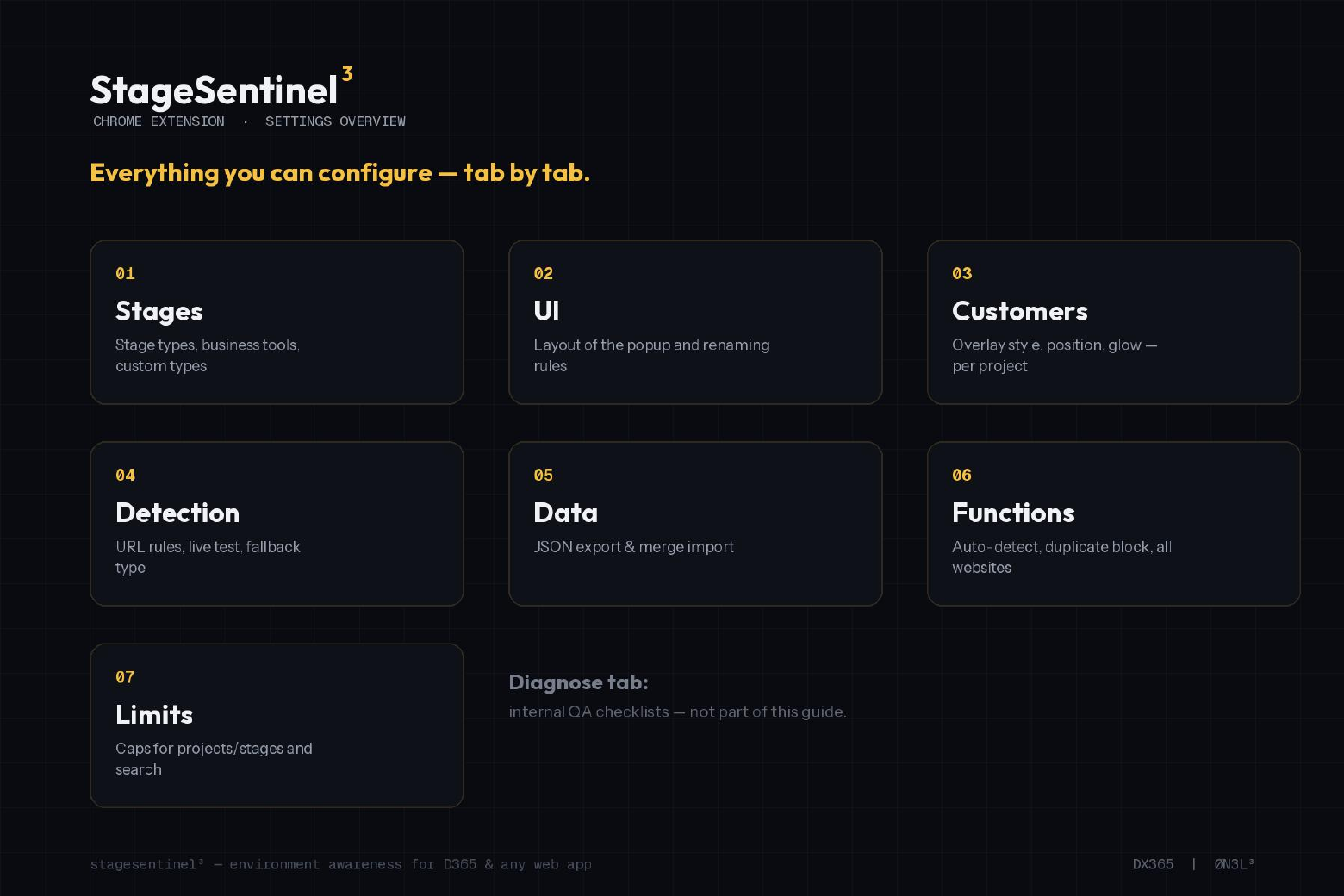
- Seven tabs:
- Stages, UI, Customers, Detection, Data, Functions and Limits. The Diagnose tab holds internal QA checklists and is not part of this guide.
01Stages — stage types, business tools, custom types
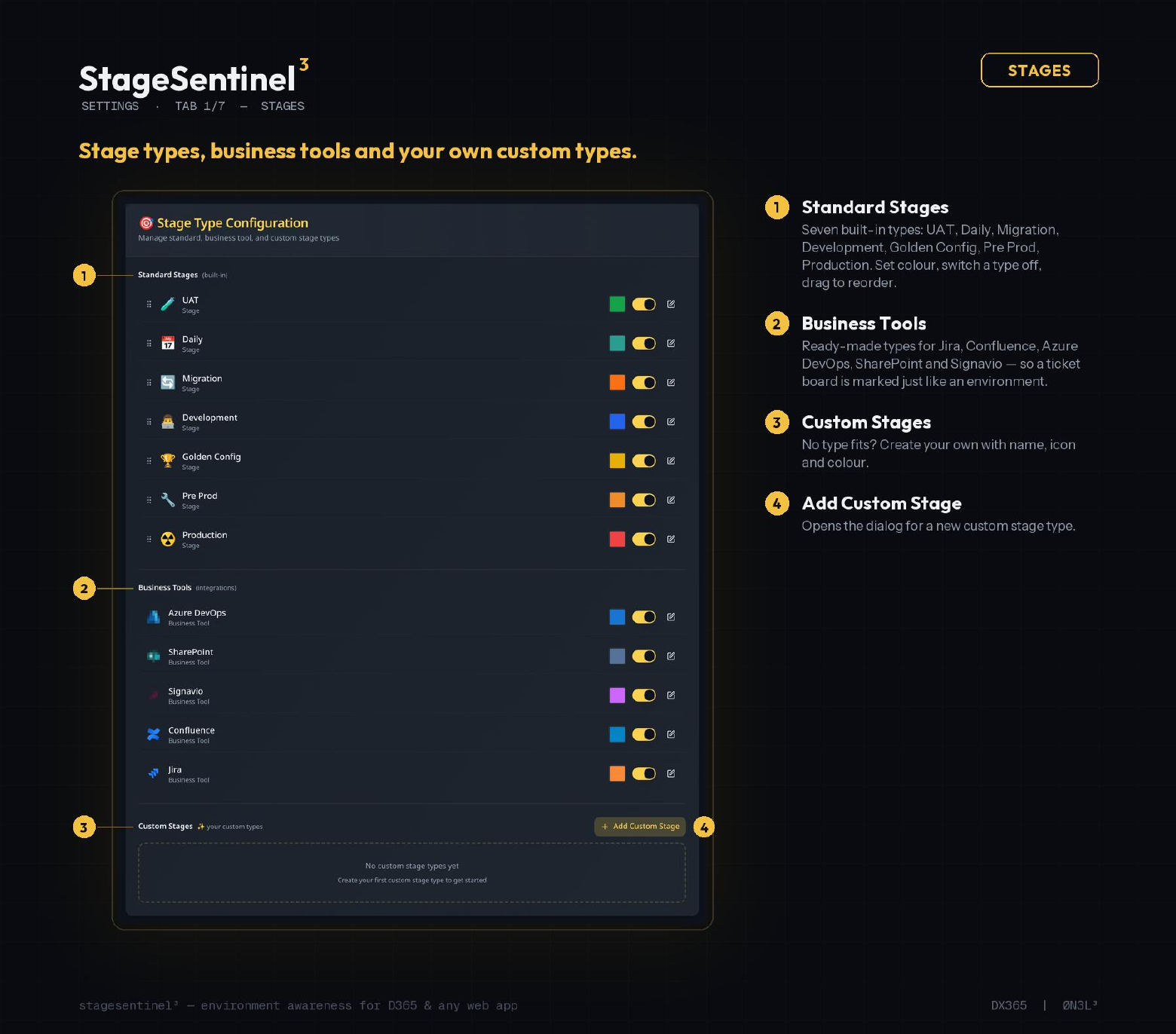
- Standard stages:
- Seven built-in types: UAT, Daily, Migration, Development, Golden Config, Pre Prod, Production. Set colour, switch a type off, drag to reorder.
- Business tools:
- Ready-made types for Jira, Confluence, Azure DevOps, SharePoint and Signavio — a ticket board is marked just like an environment.
- Custom stages:
- No type fits? Create your own with name, icon and colour via Add Custom Stage.
02UI — layout of the popup and renaming rules
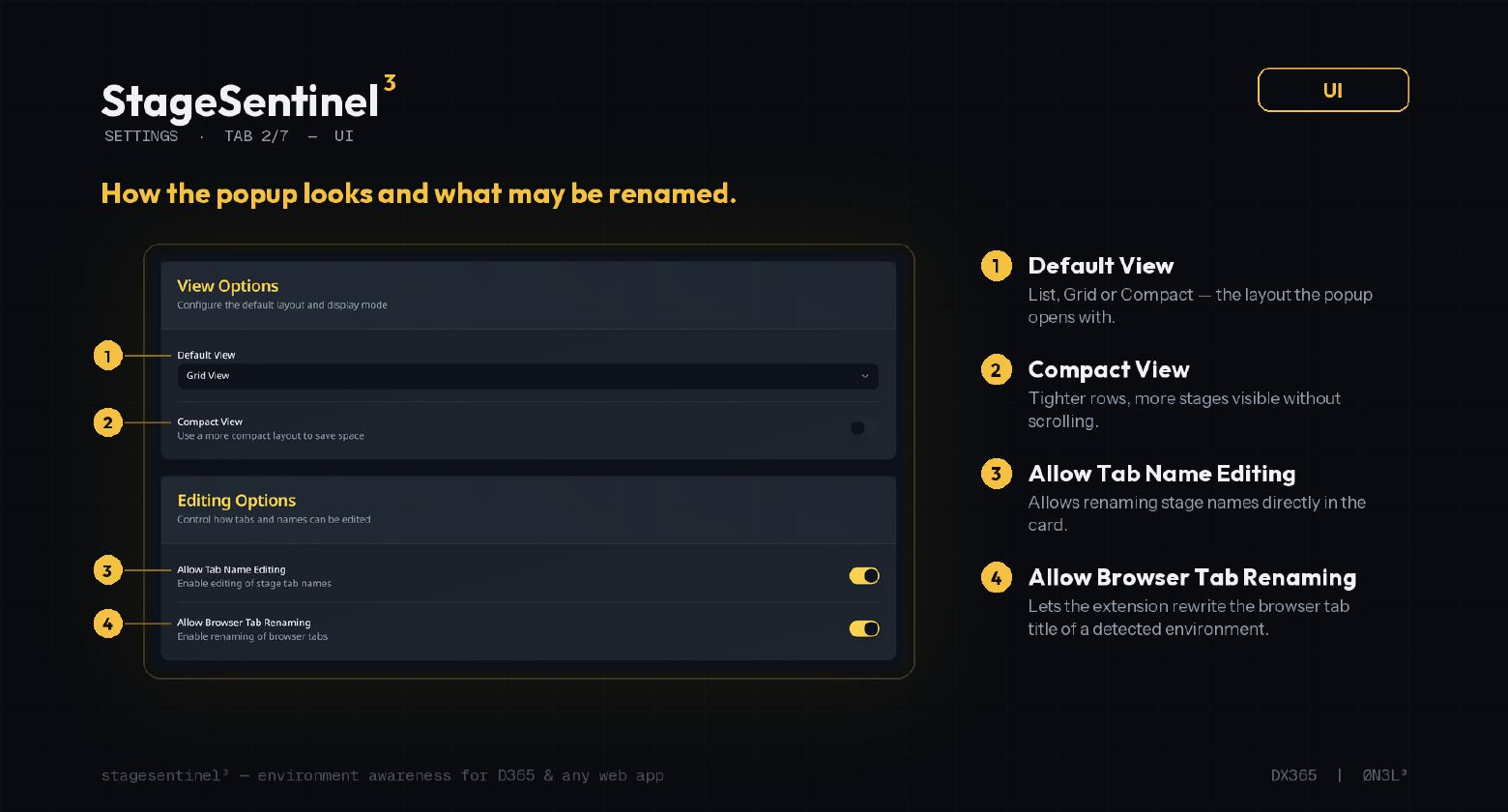
- Default view:
- List, Grid or Compact — the layout the popup opens with.
- Compact view:
- Tighter rows, more stages visible without scrolling.
- Allow tab name editing:
- Rename stage names directly in the card.
- Allow browser tab renaming:
- Lets the extension rewrite the browser tab title of a detected environment.
03Customers — per-project look of the on-page overlay
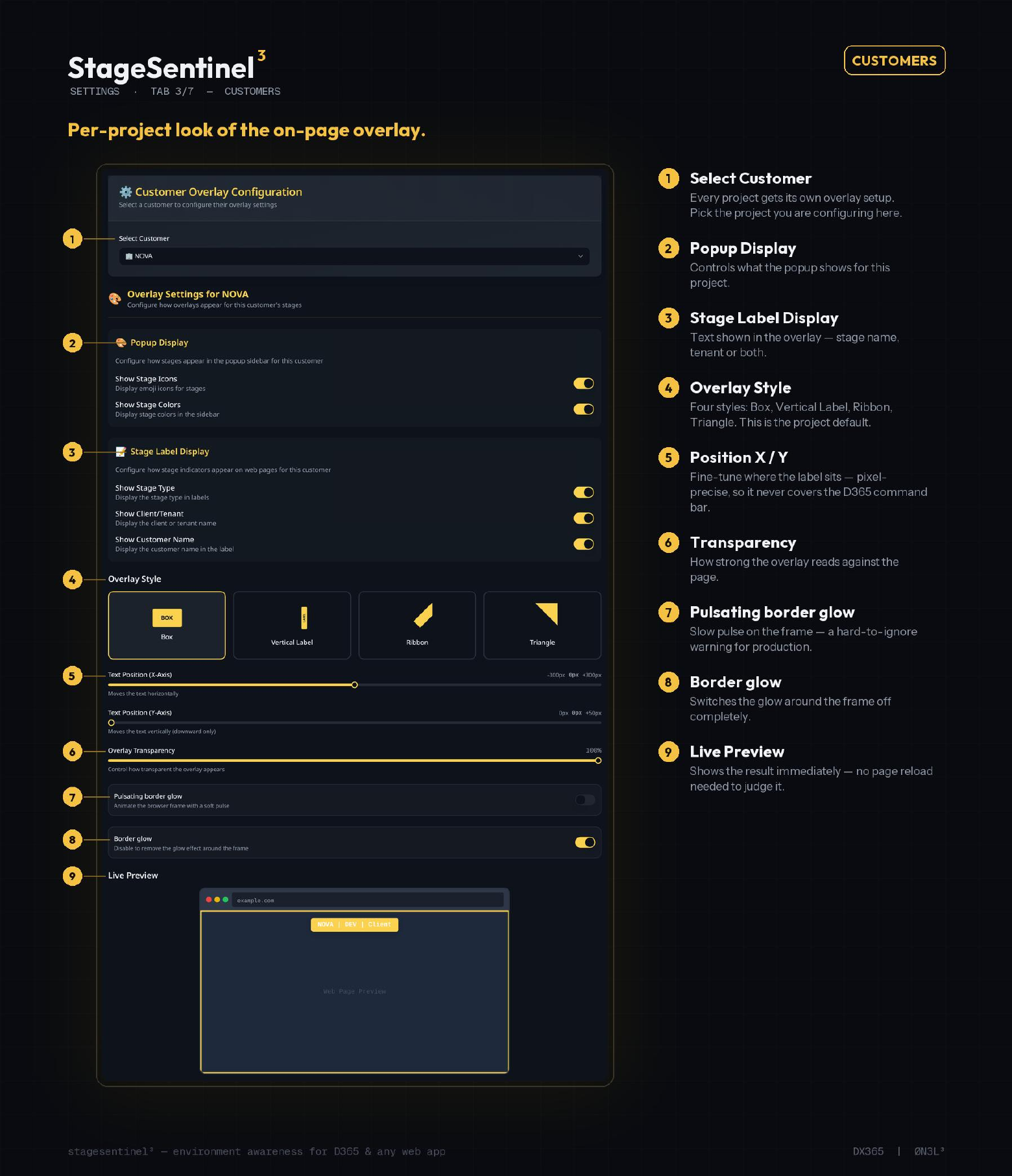
- Popup display:
- Show stage icons and stage colours in the sidebar, per customer.
- Stage label display:
- Choose whether the label shows stage type, client / tenant and customer name.
- Overlay style and position:
- Box, vertical label, ribbon or triangle, plus X / Y text offset and transparency.
- Border glow:
- Pulsating frame animation and glow can be toggled; a live preview shows the result.
04Detection — rules that recognise an environment from its URL
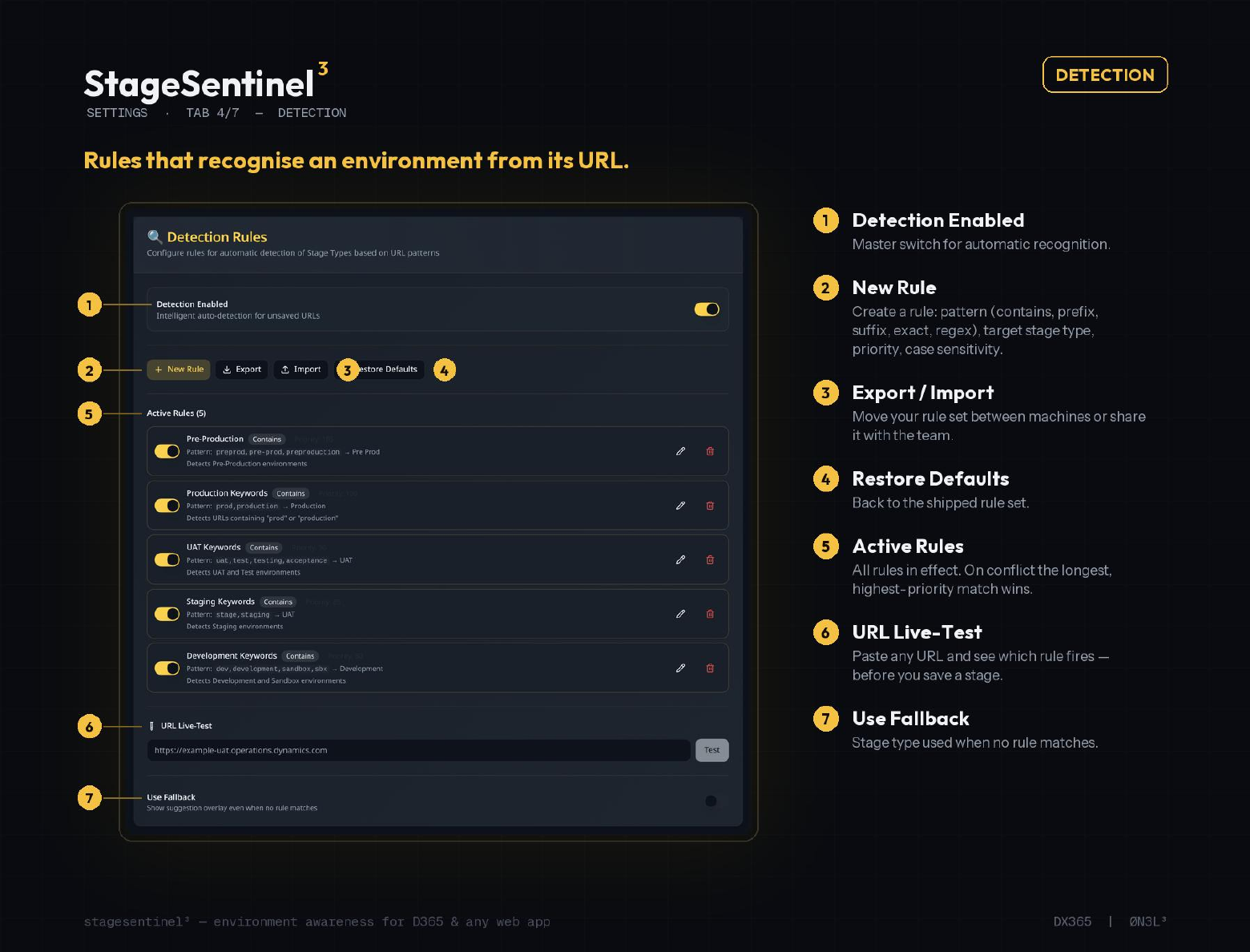
- Detection enabled:
- Master switch for automatic recognition.
- New rule:
- Pattern (contains, prefix, suffix, exact, regex), target stage type, priority and case sensitivity.
- Active rules:
- On conflict the longest, highest-priority match wins. Export / import moves the rule set between machines; Restore Defaults returns to the shipped set.
- URL live-test and fallback:
- Paste any URL to see which rule fires before saving a stage, and define the stage type used when no rule matches.
05Data — backup and restore, everything stays local
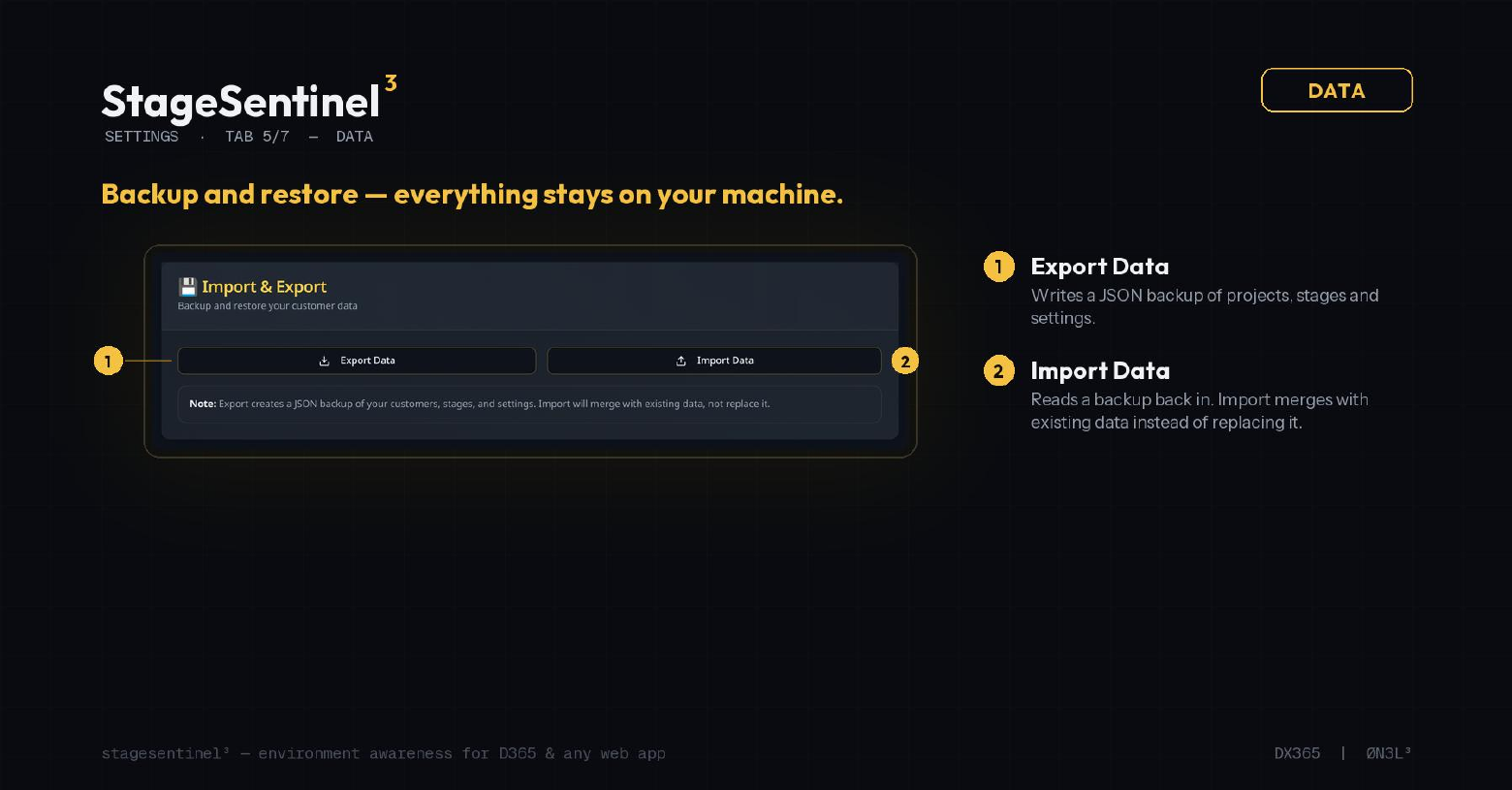
- Export data:
- Writes a JSON backup of projects, stages and settings.
- Import data:
- Reads a backup back in — import merges with existing data instead of replacing it.
06Functions — the safety net
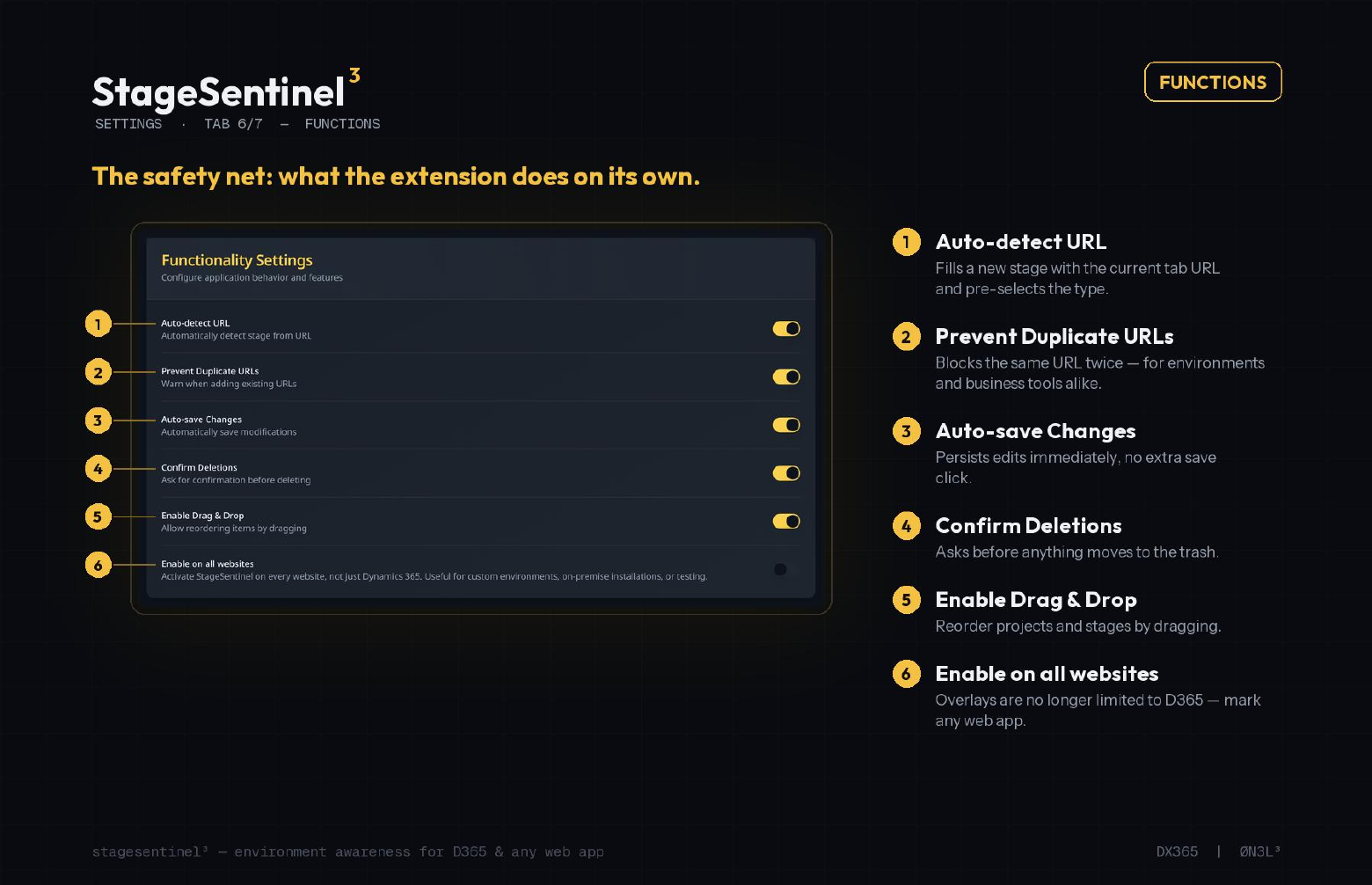
- Auto-detect URL:
- Fills a new stage with the current tab URL and pre-selects the type.
- Prevent duplicate URLs:
- Blocks the same URL twice — environments and business tools alike.
- Auto-save changes:
- Persists edits immediately, no extra save click.
- Confirm deletions:
- Asks before anything moves to the trash.
- Enable drag & drop:
- Reorder projects and stages by dragging.
- Enable on all websites:
- Overlays are no longer limited to D365 — mark any web app.
07Limits — guard rails and search behaviour
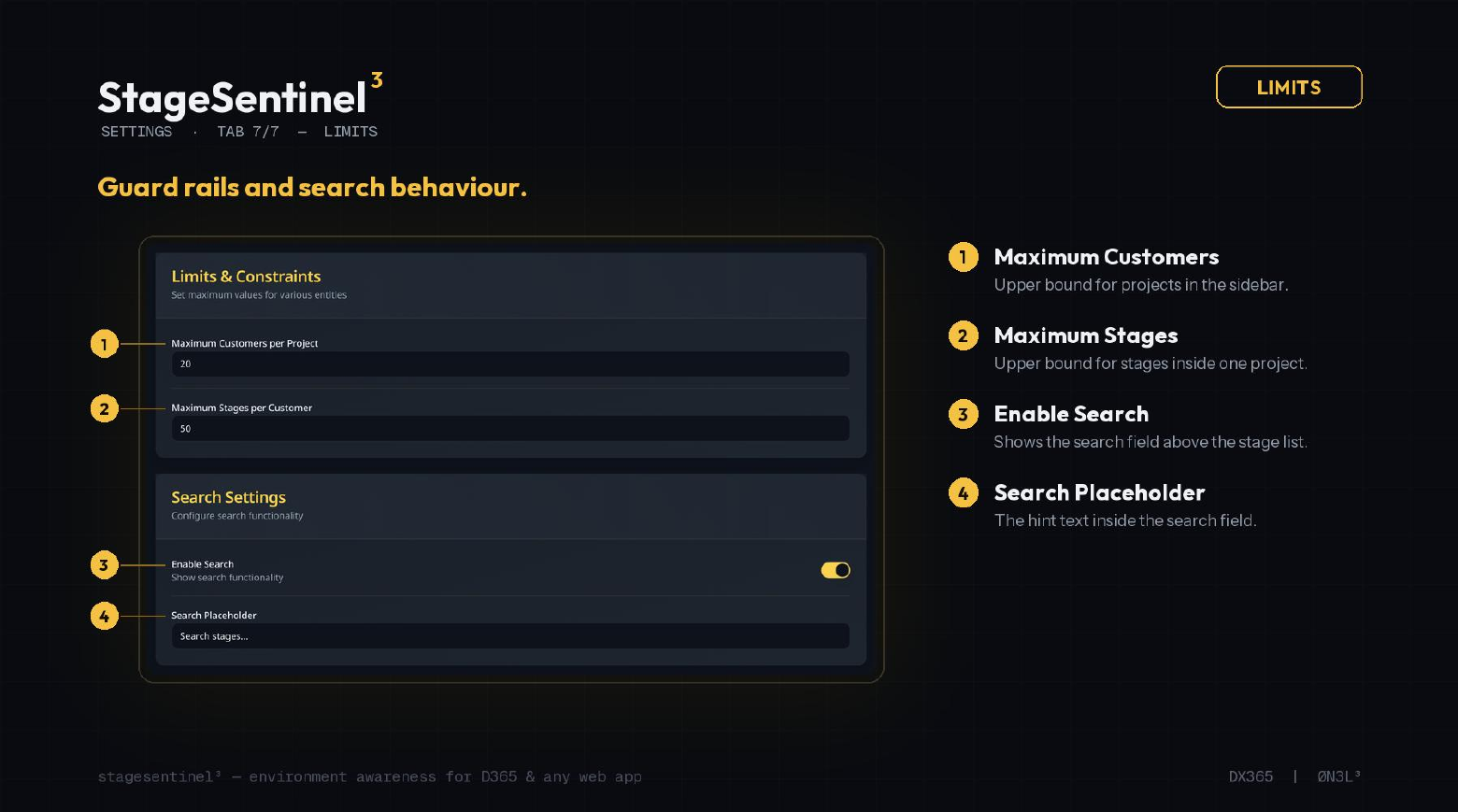
- Maximum customers:
- Upper bound for projects in the sidebar.
- Maximum stages:
- Upper bound for stages inside one project.
- Enable search:
- Shows the search field above the stage list.
- Search placeholder:
- The hint text inside the search field.
What's new in 3.0.0
15 Aug 2026
- Four distinct overlay styles: box label, corner ribbon, diagonal triangle, vertical side label
- Works on all websites, not just Dynamics 365
- Reactive environment and tenant detection without page reload
- Rebuilt popup with projects sidebar, instant search and stage cards
- Business tools (Jira, Azure DevOps, Confluence) alongside environments
- Custom stage types with own name, colour and emoji
- Notes and expiry date per stage, full drag & drop management
- Modern dark UI with glassmorphism look
- Import / export configuration for backup and team sharing
Questions or feedback? Get in touch.