Dynamics 365 Finance 10.0.48: Correcting Unbilled Revenue After Usage Quantity Changes
Usage corrections can have wider accounting consequences when a subscription contract contains several revenue elements. In Dynamics 365 Finance 10.0.48, Microsoft is improving the way Subscription billing responds when the consumed quantity on a usage line is updated. The important change is not merely the recalculation of that line: the related unbilled revenue posting is refreshed across the revenue allocation created for the arrangement.
- Author
- Jeno Jegathees
- Published
- 11 Aug 2026
- Updated
- 21 Aug 2026
- Reading time
- 6 min
What changes in version 10.0.48
The enhancement concerns usage-based subscription lines that participate in multiple element revenue allocation.
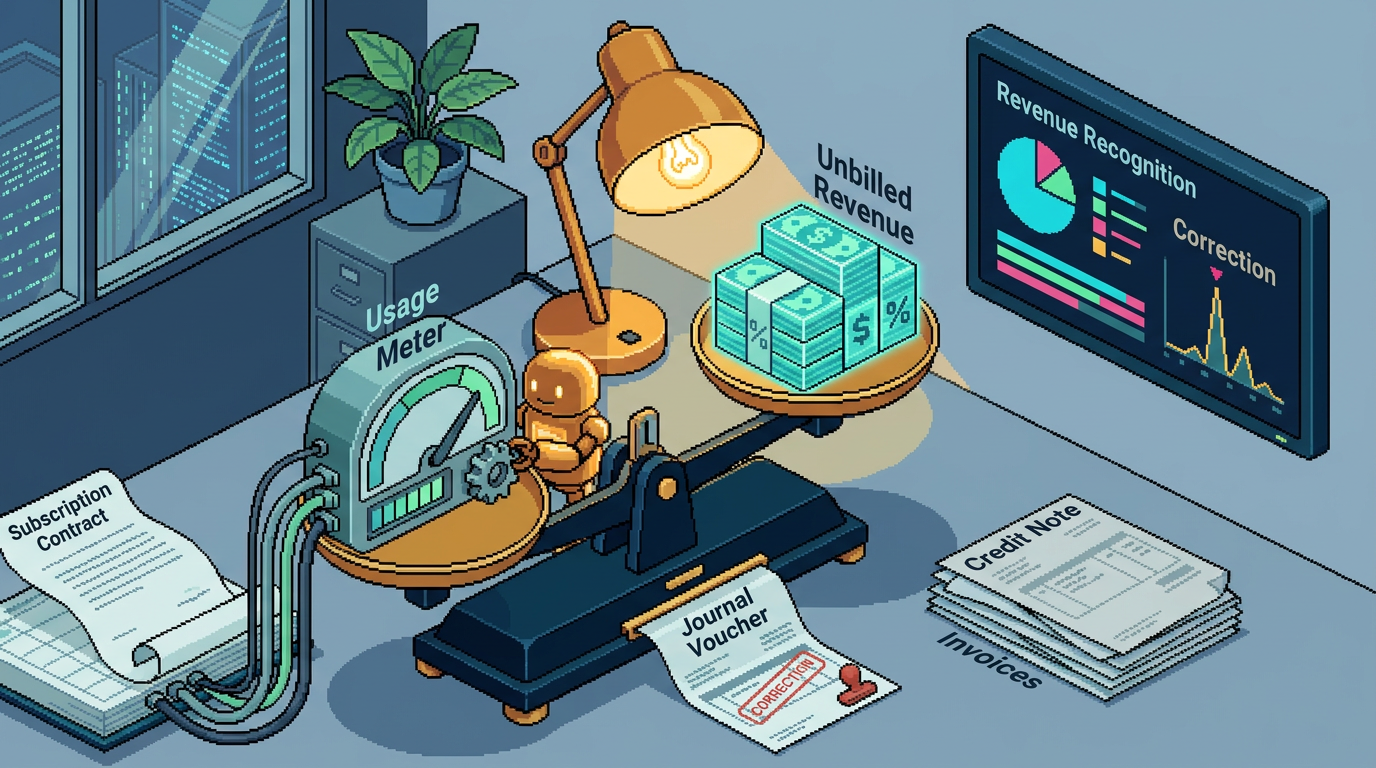
When the consumed quantity on a Usage line is corrected, Dynamics 365 Finance now updates the associated accounting more comprehensively. The system reposts the Unbilled Revenue journal using the corrected amount and applies the effect across all revenue-allocated lines belonging to the arrangement.
This is significant because a usage line may not be accounted for in isolation. Under multiple element revenue allocation, the transaction price can be distributed among several performance or revenue elements. A quantity change on one source line can therefore alter amounts attributed to other lines in the allocation.
The same improved handling is intended to cover Usage items where Escalation or Markdown logic affects the calculated value.
Why this matters
A consumed quantity is often provisional when usage data first enters the billing process. It may later change because of:
- Corrected meter readings or consumption files.
- Late-arriving usage records.
- Duplicate usage removal.
- Customer disputes and approved corrections.
- Adjustments to tiered, escalated or markdown pricing.
- Integration retries that replace an earlier quantity.
In a simple billing scenario, changing the quantity mainly affects the invoice value. In a contract subject to multiple element revenue allocation, the impact can extend to the accounting distribution for the whole arrangement.
For example, assume a contract combines a fixed service, support and a usage-based component. The allocation rules distribute consideration among these elements. If the usage quantity changes, it may alter the amount that should be represented as unbilled revenue for more than the usage component alone.
Version 10.0.48 is intended to keep the unbilled revenue posting synchronized with that revised allocation. This reduces the risk that Subscription billing shows one economic result while the general ledger still contains amounts based on the earlier quantity.
The pain point in the previous behavior
Before this enhancement, correcting consumed quantity on a Usage line did not necessarily refresh the Unbilled Revenue journal across every line affected by revenue allocation. The usage transaction could be corrected operationally while parts of the related accounting remained based on the previous calculation.
This created a practical reconciliation problem. Consultants and finance teams could encounter differences among:
- The current consumed quantity.
- The recalculated subscription billing amount.
- Revenue allocation results.
- Deferred revenue balances.
- Unbilled revenue balances in the general ledger.
Resolving such differences could require investigation and manual general ledger adjustments. Those journals addressed the balance but introduced their own control concerns: additional documentation, approval, account selection, dimensions and reversal decisions. They could also weaken the audit trail between the subscription transaction and its accounting origin.
The 10.0.48 enhancement removes this specific manual intervention where the discrepancy originates from a corrected usage quantity. The application-generated posting should now follow the revised allocation rather than leaving finance to compensate outside the subscription process.
This does not mean that every historical unbilled revenue difference will automatically be repaired. Microsoft does not state whether installing the update retrospectively reprocesses previously corrected transactions. Treat retroactive correction as an assumption to verify, not as expected behavior.
Scope of the improvement
The enhancement is relevant when all or most of the following conditions apply:
- Subscription billing is used.
- A billing schedule includes a Usage item or line.
- Consumed quantity can be updated after initial processing.
- Multiple element revenue allocation is enabled and applied to the arrangement.
- Unbilled revenue journals are generated from the process.
- Escalation or Markdown calculations may apply to the Usage item.
It should not be interpreted as a general change to all quantity corrections in Accounts receivable, Project management and accounting, or other billing modules. The release description specifically associates the change with Subscription billing and multiple element revenue allocation.
The activation method is not stated in the release information. Do not assume that a new feature switch is available or required. In the sandbox, check Feature management, Subscription billing parameters and any release-specific documentation delivered with the 10.0.48 build.
Who is affected
Business and system roles
The following roles should review the change:
- Subscription billing specialists, who maintain usage records and billing schedules.
- Revenue accountants, who monitor allocated revenue, deferred revenue and unbilled revenue.
- General ledger accountants, who reconcile control accounts and review generated journals.
- Accounts receivable teams, where usage corrections affect downstream invoices or credit transactions.
- Integration owners, especially where usage quantities arrive from metering, consumption or external billing systems.
- Solution architects and functional consultants, who own the multiple element revenue allocation design.
- Internal and external auditors, if manual journals were previously part of the correction procedure.
Processes
The change affects controls around usage import, quantity correction, revenue allocation, unbilled revenue posting and period-end reconciliation. Existing operating instructions that require a manual adjustment after changing consumed quantity should be reviewed.
Legal entities
Only legal entities using the relevant Subscription billing scenario are directly affected. An organization may have the module configured in several companies but use usage-based multiple element arrangements in only one of them.
Testing should therefore be performed per applicable legal entity, taking account of its:
- Main accounts and financial dimensions.
- Accounting currency and reporting currency.
- Fiscal calendar and open periods.
- Journal approval or posting controls.
- Revenue allocation setup.
- Escalation and Markdown rules.
There is no basis in the release note to assume that a correction in one legal entity updates another legal entity, even where contracts or customers are operationally related.
What to do before the update
Identify applicable scenarios
Build an inventory of active billing schedules that combine Usage lines with multiple element revenue allocation. Include examples with Escalation and Markdown behavior if those options are used.
Also identify any local procedure or customization that creates a manual journal after a consumed quantity correction. Such logic may become redundant or could duplicate the new standard posting.
Capture baseline evidence
For representative transactions, retain:
- Original usage quantity and amount.
- Revenue allocation details by line.
- Existing unbilled revenue journal and voucher.
- Deferred and unbilled revenue account balances.
- Financial dimensions assigned to each allocated line.
- Billing schedule and invoice status.
A baseline makes it possible to distinguish the new behavior from unrelated posting differences.
Prepare controlled tests
At minimum, test these cases:
- Increase a consumed quantity after the initial unbilled revenue posting.
- Decrease the quantity.
- Correct a line participating in an allocation with several revenue elements.
- Test a Usage item with Escalation.
- Test a Usage item with Markdown.
- Repeat the correction across an accounting period boundary.
- Test relevant foreign-currency and dimension combinations.
For period-boundary testing, verify how the system behaves when the original period is closed. Microsoft’s summary does not establish whether the reposting uses the original date, a current open date or another date rule.
What to verify after the update
For each test, reconcile from the corrected Usage line through to the general ledger. Confirm that:
- The revised quantity is retained on the source transaction.
- The expected price, including Escalation or Markdown, is recalculated.
- Revenue allocation reflects the corrected transaction value.
- Every affected allocated line is represented in the refreshed unbilled revenue accounting.
- Deferred revenue and unbilled revenue accounts reconcile to the updated allocation.
- Main accounts, financial dimensions, currencies and signs are correct.
- The resulting voucher provides a traceable link back to the subscription process.
- No existing customization or manual procedure creates a duplicate adjustment.
Also determine whether transactions corrected before the upgrade remain unchanged. If they do, agree a controlled remediation approach rather than assuming that the update will rebuild historical postings.
Practical assessment
This is a focused accounting consistency improvement rather than a new subscription billing process. Its value lies in preserving the relationship among usage data, revenue allocation and general ledger balances after a correction.
Organizations with frequent usage amendments should see the clearest benefit. Fewer manual journals mean a cleaner source-to-ledger audit trail and less period-end analysis. However, these benefits depend on confirming the actual reposting behavior in the organization’s configuration, particularly for closed periods, currencies, dimensions and pre-existing transactions.